> For the complete documentation index, see [llms.txt](https://docs.supernova.xyz/llms.txt). Markdown versions of documentation pages are available by appending `.md` to page URLs; this page is available as [Markdown](https://docs.supernova.xyz/protocol-design/how-to-swap.md).
# How to Swap
{% stepper %}
{% step %}
### Select the SWAP page from the top menu
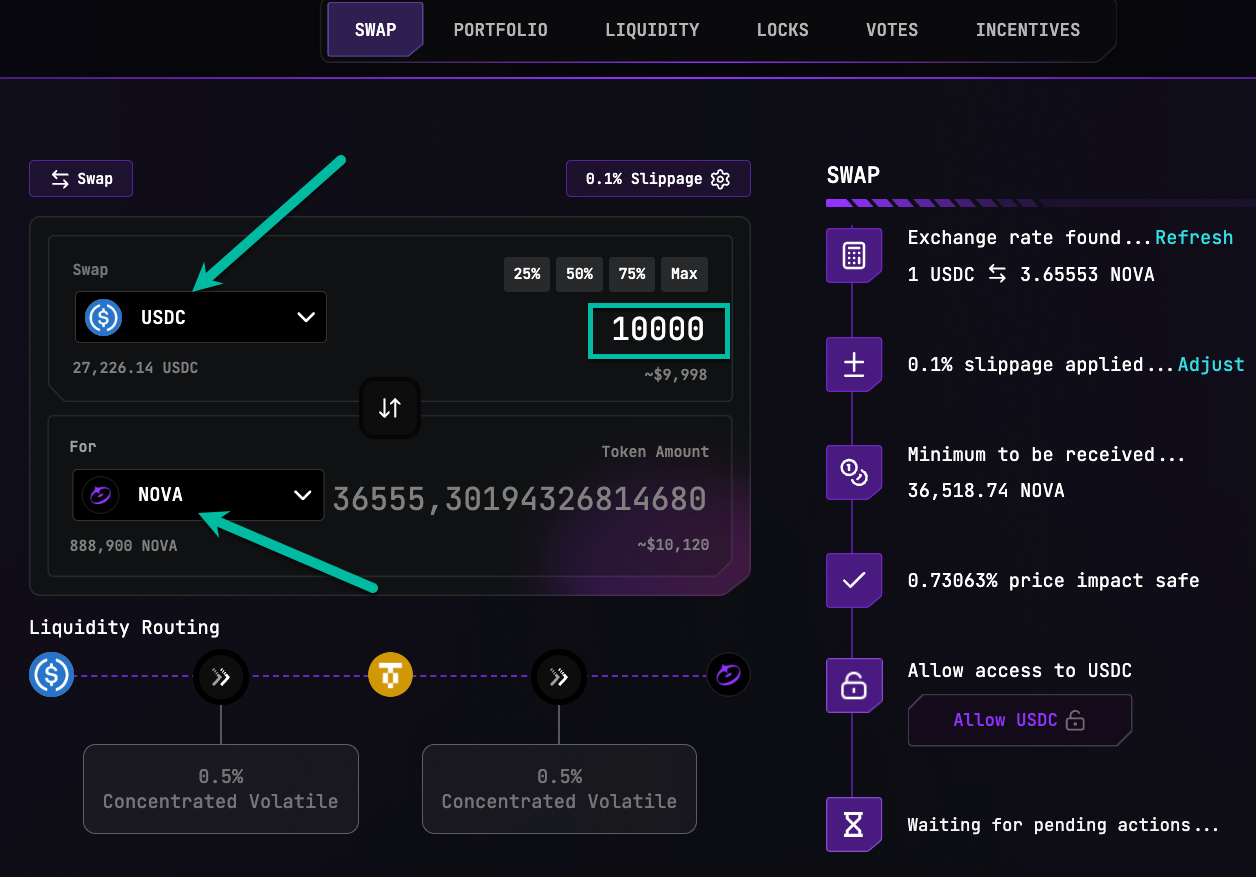
From the main Swap menu, select the token you want to swap and the token you would like to receive and enter the swap amount manually or use one of the quick buttons for 25%, 50%, 75% or MAX amount you have available in your connected wallet:
{% endstep %}
{% step %}
### Review the swap details in the right-hand-side menu
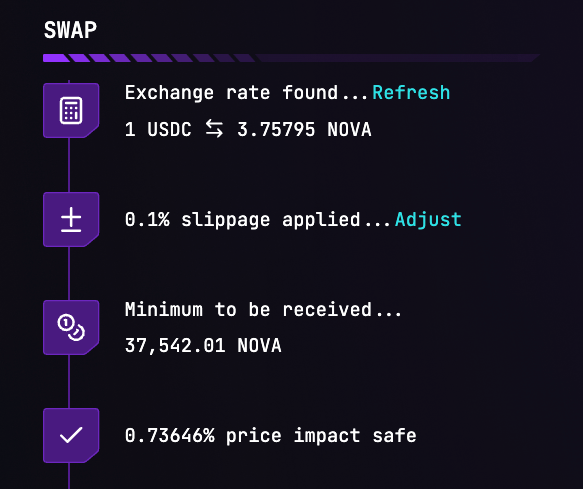
On the right hand side you see the swap details, showing the exchange rate found, the slippage applied, minimum amount to be received and the price impact. Adjust the slippage and/or refresh the exchange rate, if needed.
Click on Adjust if you want to change the slippage setting. You can select one of the slippage preset settings or enter it manually:

{% endstep %}
{% step %}
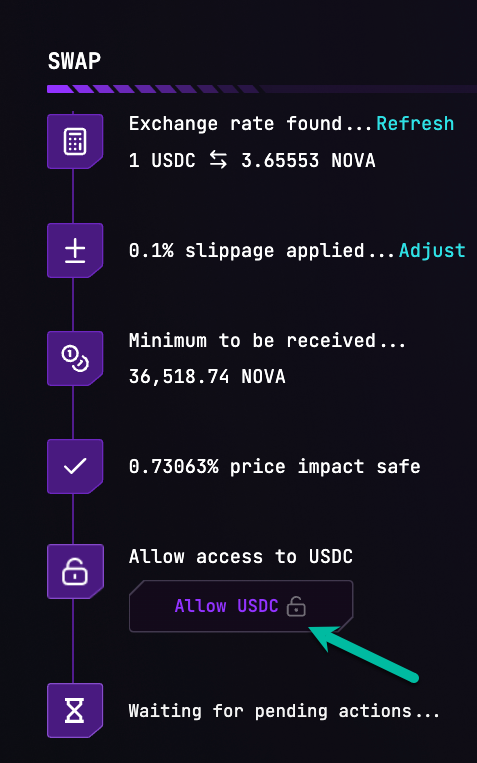
### Approve token allowance
{% endstep %}
{% step %}
### Initiate the swap
After the approval transaction has been committed, the SWAP button appears so you can initiate the swap transaction.

{% endstep %}
{% step %}
### Confirm swap completion and view transaction details
After successful completion of the swap transaction a toast message will appear showing that the swap executed successfully. Click on the icon in the toast to view the transaction details on the block explorer.

{% endstep %}
{% endstepper %}